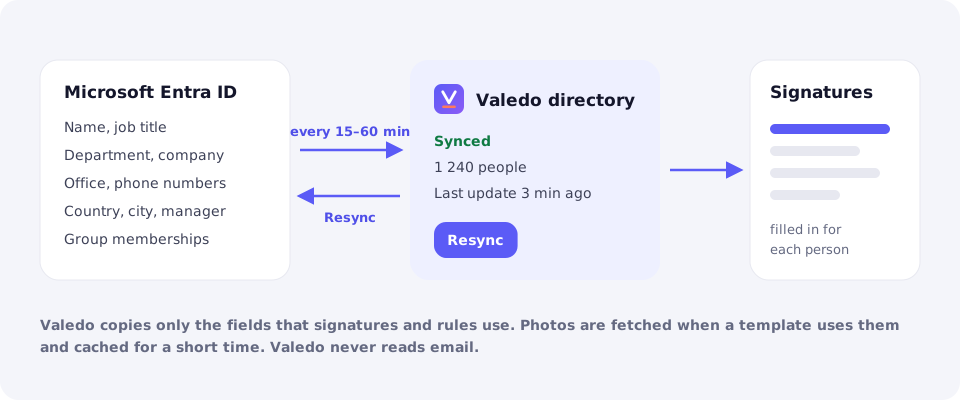
- The first sync runs after onboarding. After that, Valedo picks up changes every 15 to 60 minutes.
- To pick up a change at once, use Resync in the Directory area.
- The Directory area shows the sync status, the last update and how many people were synced.
- Custom fields: map Entra extension attributes to placeholders you can use in templates.
Manage signatures
Directory
How Valedo keeps people’s details up to date.
Valedo copies the directory fields that signatures and rules use from Microsoft Entra ID: name, job title, department, company, office, phone numbers, email address, country, city, manager’s name and any extension attributes you choose. It also records membership of the groups your rules use.

Valedo copies signature fields and group memberships from Microsoft Entra ID.
If a signature shows old details, check that the change is saved in Entra ID, then resync.
Photos are fetched from Microsoft 365 when a template uses them and cached for a short time.